Budgets that roll over, and a safe-to-spend figure you can explain.
Set a monthly target for each category, then see the lowest your cash is projected to reach over the next 60 days. Everything is worked out from the statement files you import.
Rollover, one category
Month 1
- Target
- 200.00
- Spent
- 230.00
- Left
- −30.00
Carried into month 2
Month 2
- Target
- 200.00
- Carried forward
- −30.00
- Available
- 170.00
How do monthly budgets work?
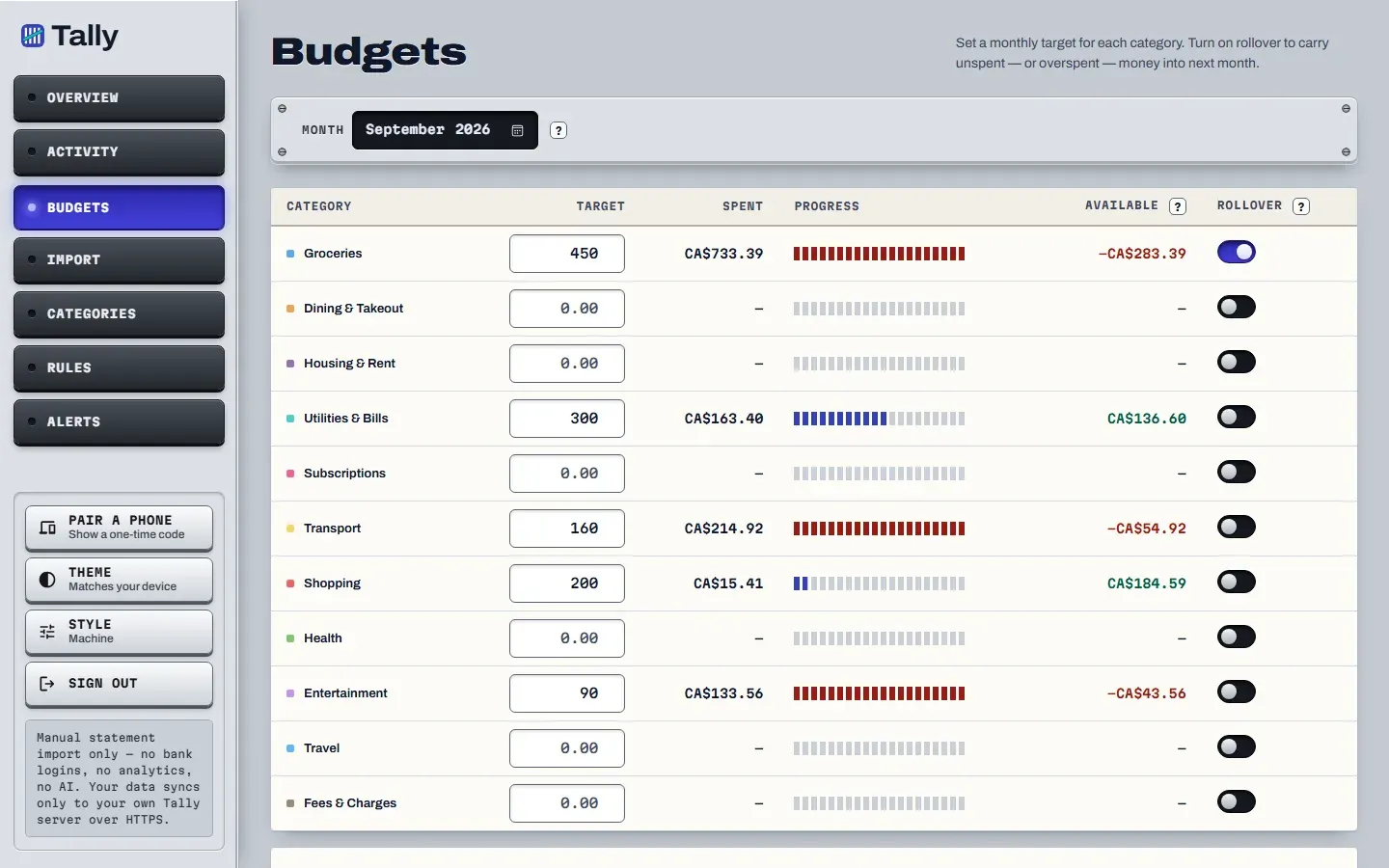
You set a target for each category, and a bar shows how much of it you have spent. What is left is the target minus the spend, and it can go below zero.
- One monthly target per category. Sub-categories roll up into their parent.
- Available is the target, minus what you spent, plus anything carried over when rollover is on.
- Transfers between your own accounts stay out of spending, because moving money is not spending it.
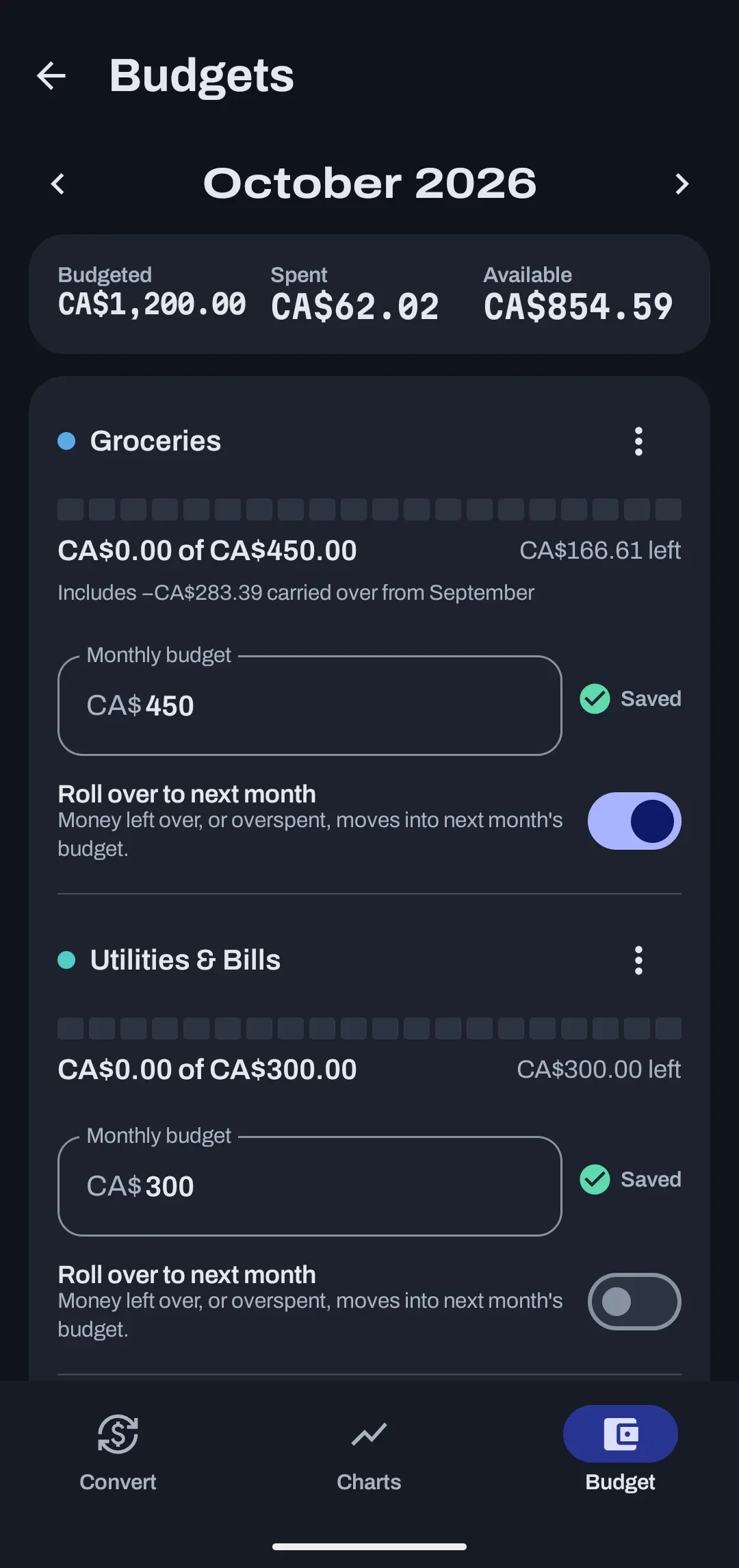
The web app has a month picker, so you can look back at any month. The Android app shows the same budgets with a rollover switch on each category.
Read the guide to safe to spendBudgets this month
CA$31.28 left
CA$156.70 left
Over by CA$12.00
Example budgets using test data. The last one is over by CA$12.00.
What does rollover do?
With rollover on, money you did not spend and money you overspent both carry into the next month. It is a switch you set per category, so groceries can roll over while dining does not.
Unspent money gives next month a head start. An overspend does the opposite and starts next month already behind, which is why a category can show a negative amount available.
How rollover works, step by step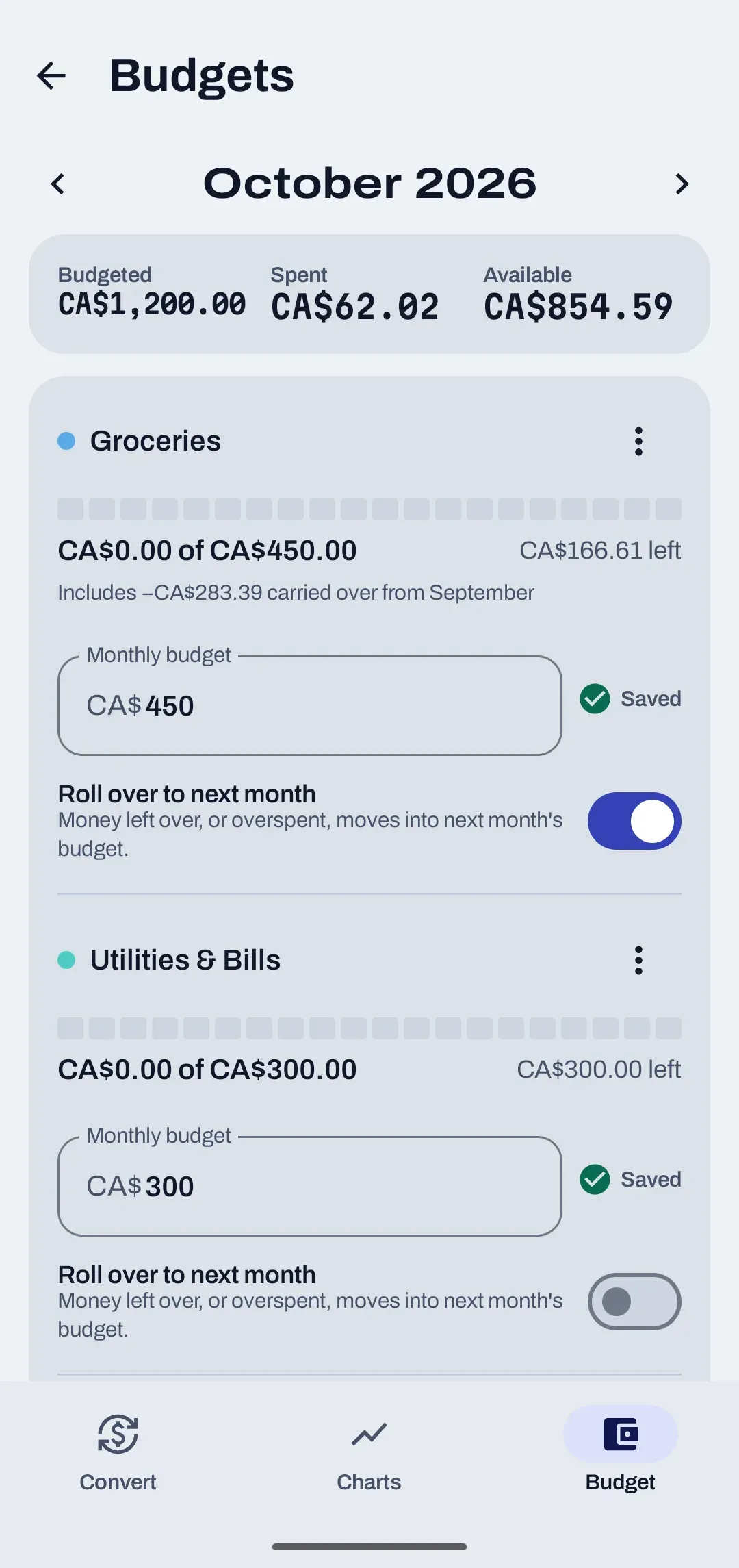
What does safe to spend mean?
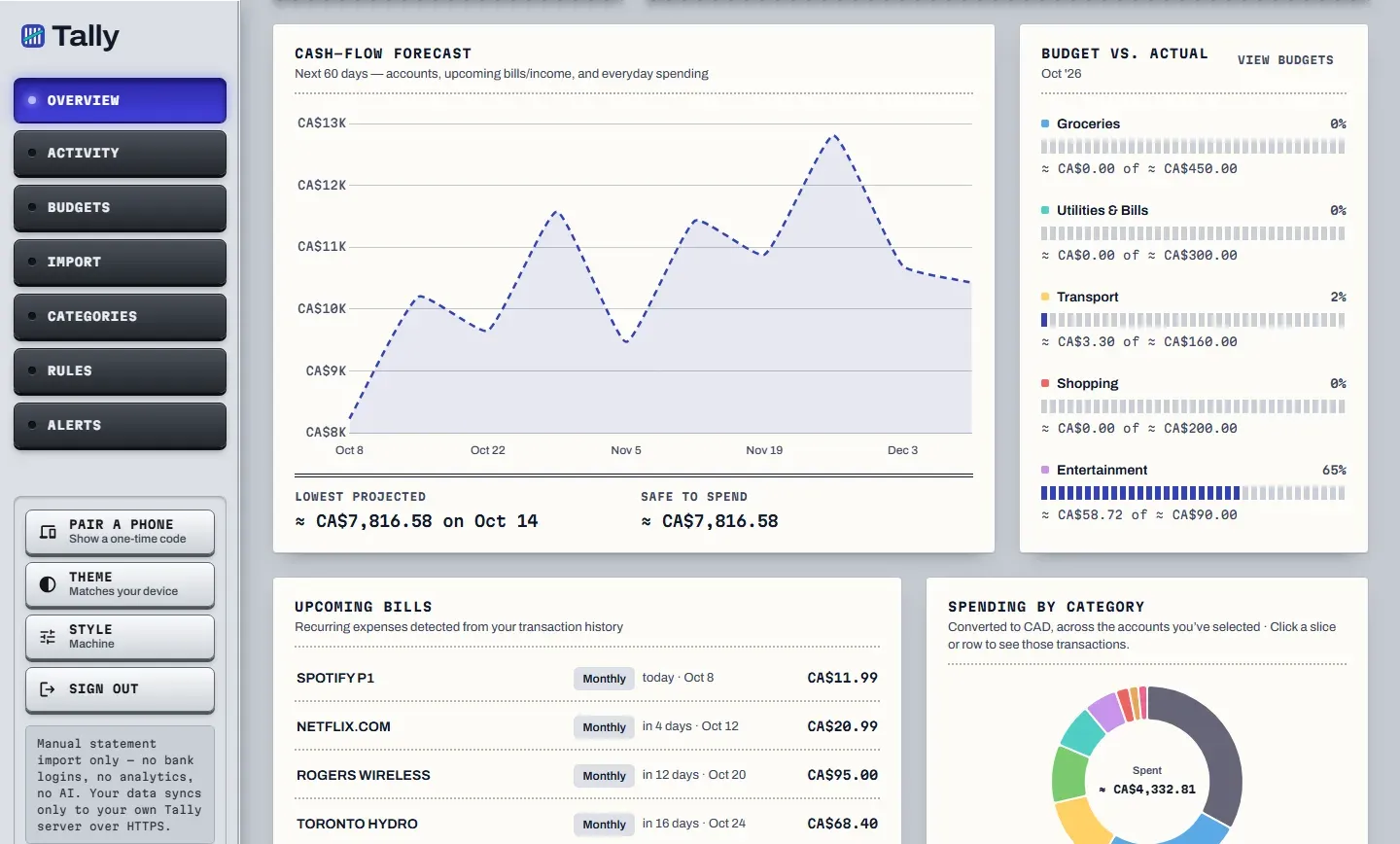
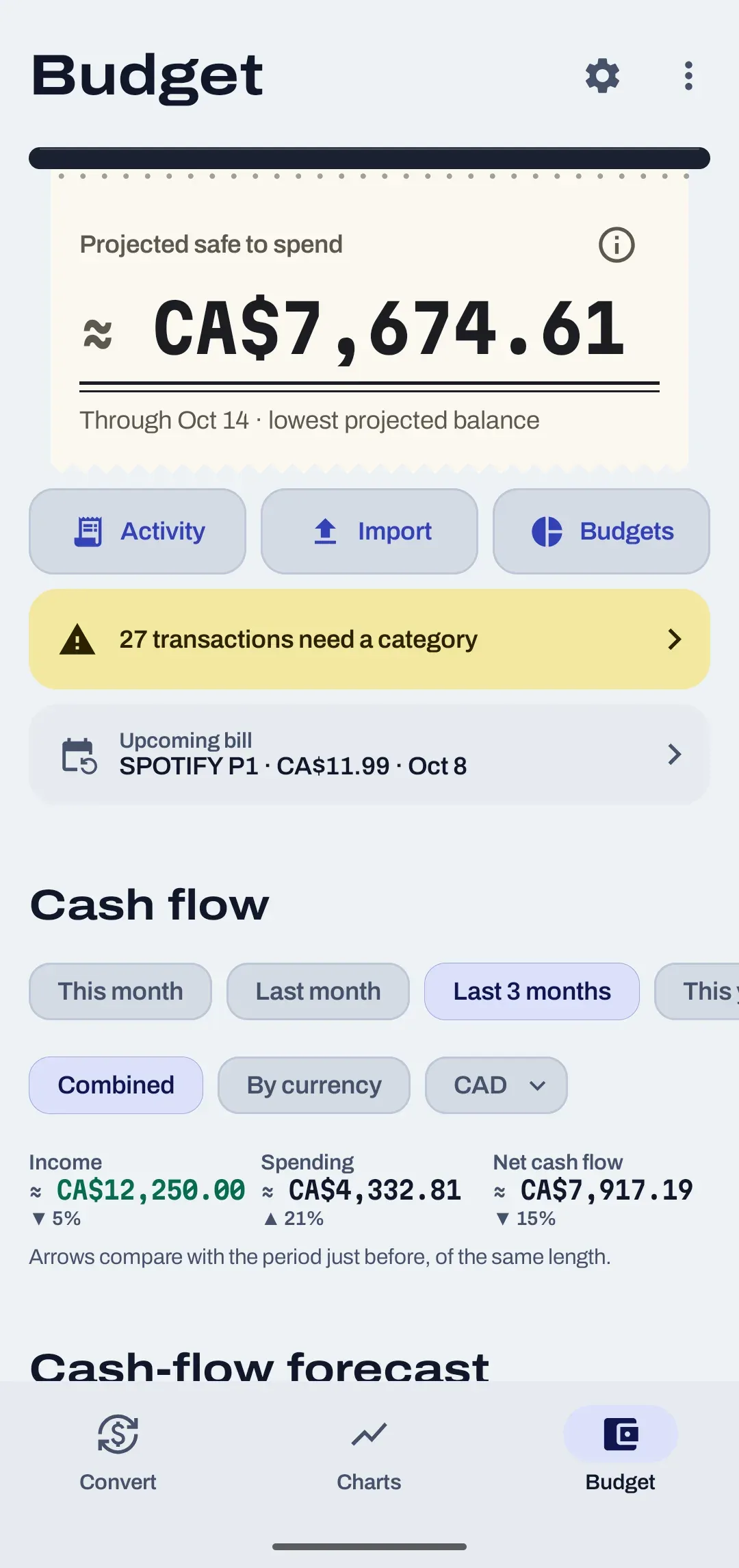
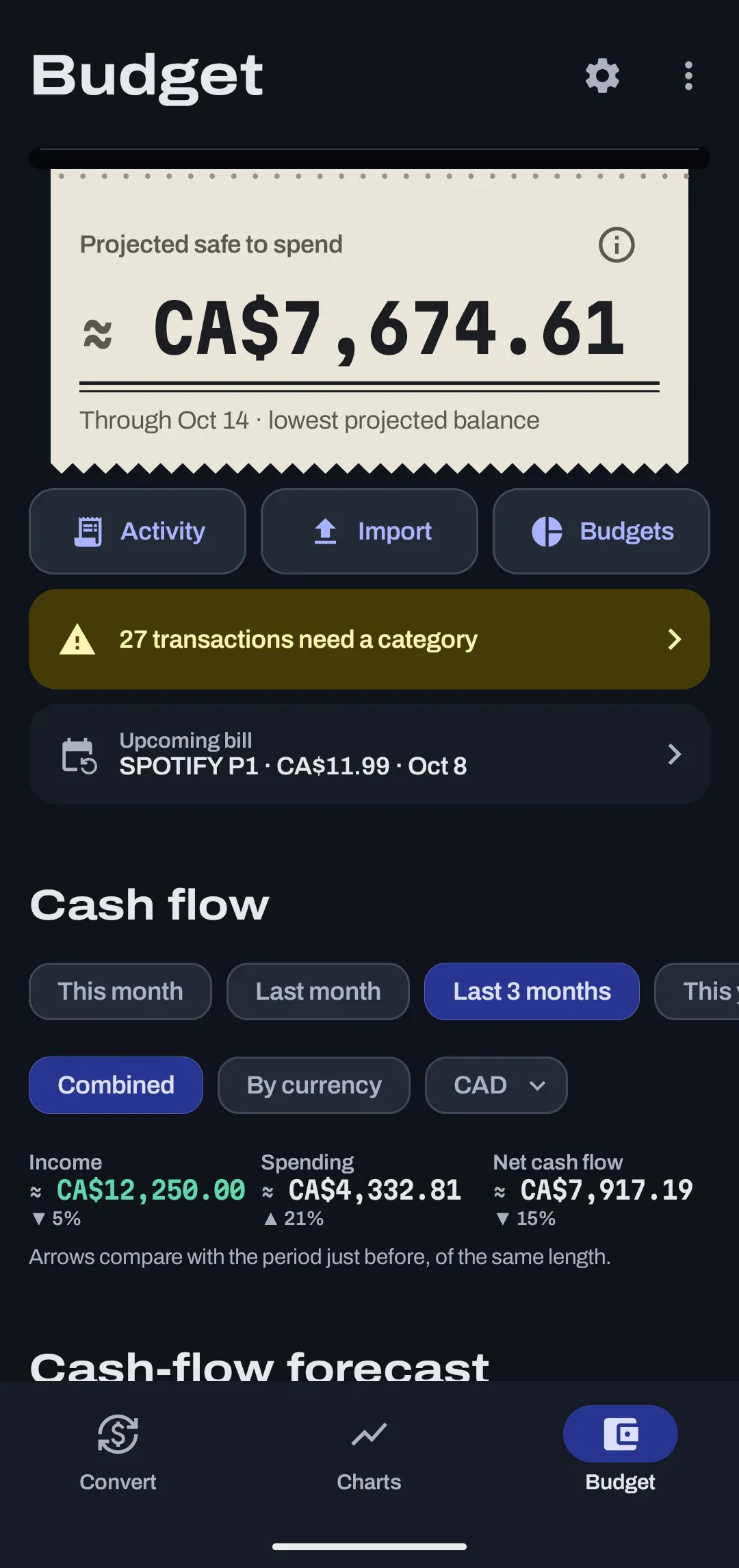
It is the lowest balance your cash accounts are projected to reach over the next 60 days. Spend down to that line and no further, and the projection never goes below zero.
The projection is built from three things, and the card says it is a projection.
| Input | Where it comes from |
|---|---|
| Today's balances | The running balances in your imported statements, for cash accounts only. |
| Upcoming bills and income | Every future occurrence of the bills and income that repeat in your history. |
| Everyday spending | A flat daily amount from the last 90 days of spending that is not a repeating bill. |
Safe to spend
- Lowest projected
- about CA$7,816.58
- Until
- Oct 14, 2026
- Window
- 60 days
- Net worth
- CA$8,240.32
What is the cash-flow forecast?
A line chart of the same 60-day projection, with the lowest point marked. It covers cash accounts only, so a manual house or car never props up next month's rent.
How are recurring bills found?
Tally looks for anything that repeats weekly, every two weeks, monthly or quarterly, and lists the ones due in the next 45 days.
| Rule | Detail |
|---|---|
| Repeat count | At least 3 occurrences in the last 400 days. |
| Patterns | Weekly, every two weeks, monthly and quarterly. |
| Upcoming list | Bills due in the next 45 days, up to 8 of them. |
| Stopped series | Marked stale and ignored, so a cancelled subscription stops counting. |
Recurring bills and income feed straight into safe to spend and the forecast. Net worth and the other web-only tools are on the net worth and reports page, and money in several currencies is covered under multi-currency.
What else do people ask about budgets?
Is safe to spend a guarantee?
No. It is a projection from your balances, the bills and income Tally sees repeating, and your recent everyday spending. The app labels it that way, and a bill that is not on the list yet is not in the number.
Why does the card say Lowest point ahead?
Because the projected low is below zero. The card swaps the words Safe to spend for Lowest point ahead and shows a Shortfall ahead stamp, so it never says safe next to a negative number.
Why does safe to spend ask for a starting balance?
The projection starts from today's balance in each cash account. A statement with running balances, such as a TD download, a Wise account statement or an OFX file, supplies it. Without one the card says so and points you to Import.
How many times must a bill repeat before it is spotted?
At least 3 times in the last 400 days. Weekly, every two weeks, monthly and quarterly patterns are detected, and bills that have stopped are marked stale and ignored.
Does the forecast include my house or car?
No. The forecast uses cash accounts only, so a manual asset never props up next month's rent.
Budgets start with a file.
Tally is in development and not open for sign-ups yet. Importing is the first step, and it is the one that never asks for your bank login.