Net worth, reports and a clean month-end.

Beyond budgets, Tally tracks net worth, draws a spending heatmap, lets you tag and split transactions, and closes the month. Most of it lives in the web app today, and the table below says exactly which.

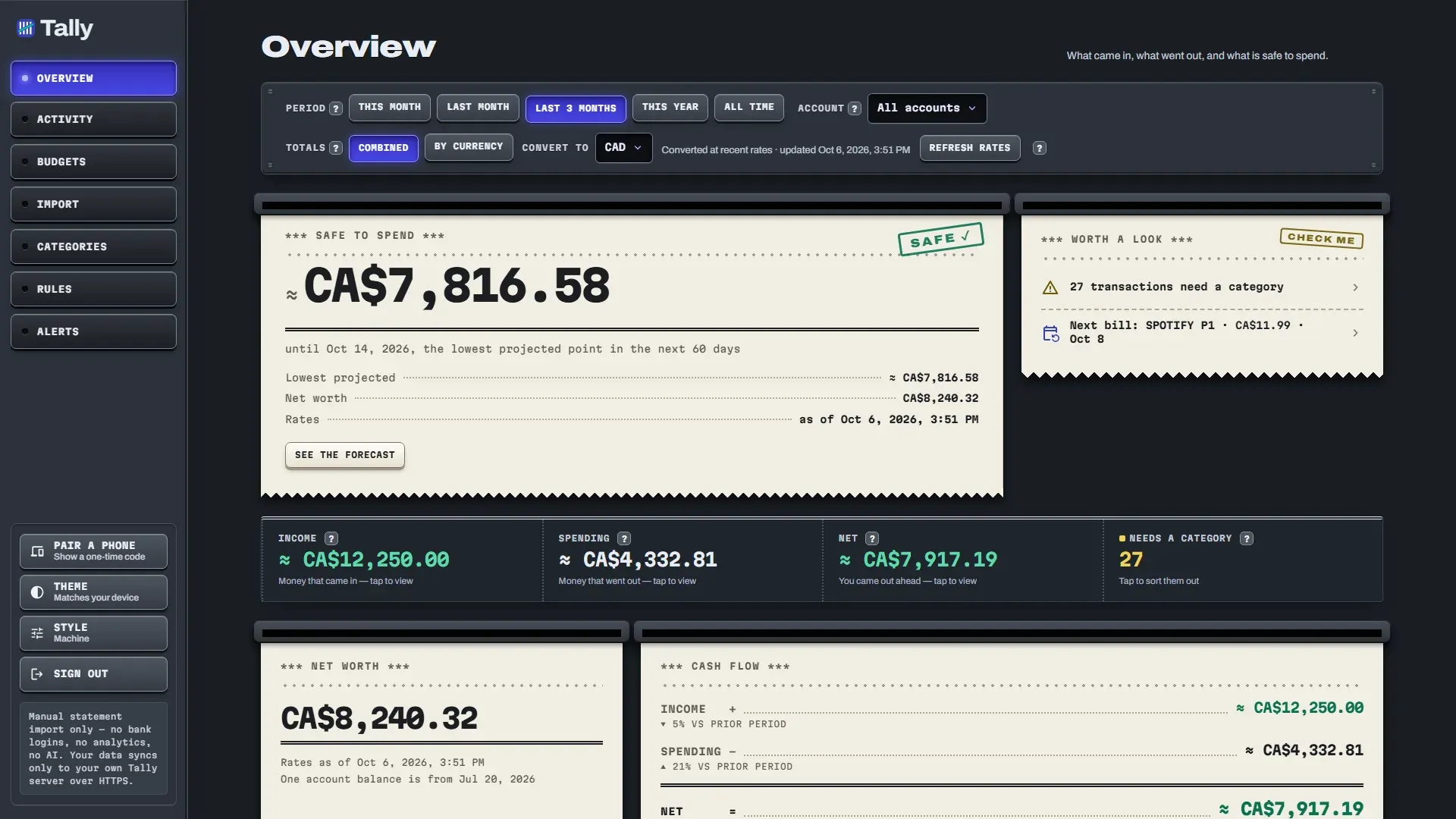
Tally Overview on a wide screen in dark theme, showing safe to spend, net worth and a cash flow receipt.
The web app with sample data.

Which of these work on the web and which on Android?

The web app has all of them. The Android app has net worth, adding and removing tags, and editing or deleting manual cash rows.

Availability by app
FeatureWeb appAndroid app
Net worthYesShown, no editor for manual items
Manual assets and liabilitiesYesNot yet
Spending heatmapYesNot yet
Tags: add and removeYesYes
Tags: filter Activity by tagYesNot yet
Split transactionsYesNot yet
Close month, CSV and JSON exportYesNot yet
Quick cash entry: createYesNot yet
Quick cash entry: edit and deleteYesYes
Reminders and weekly recapYesNot yet

Nothing in the Not yet column is promised for a date. See where Tally runs for the state of each app.

How does net worth work?

Net worth adds your accounts and anything you enter by hand, then subtracts what you owe. Things with no statement, such as cash, a house, a car or investments, are manual assets. A loan is a manual liability.

  • Everything is valued at today's exchange rate.
  • A single net worth number appears only when every account and asset has a usable rate.
  • The manual-assets editor is in the web app. Android shows the total but cannot edit it yet.
  • The cash-flow forecast ignores manual assets, so a house never props up next month's rent.
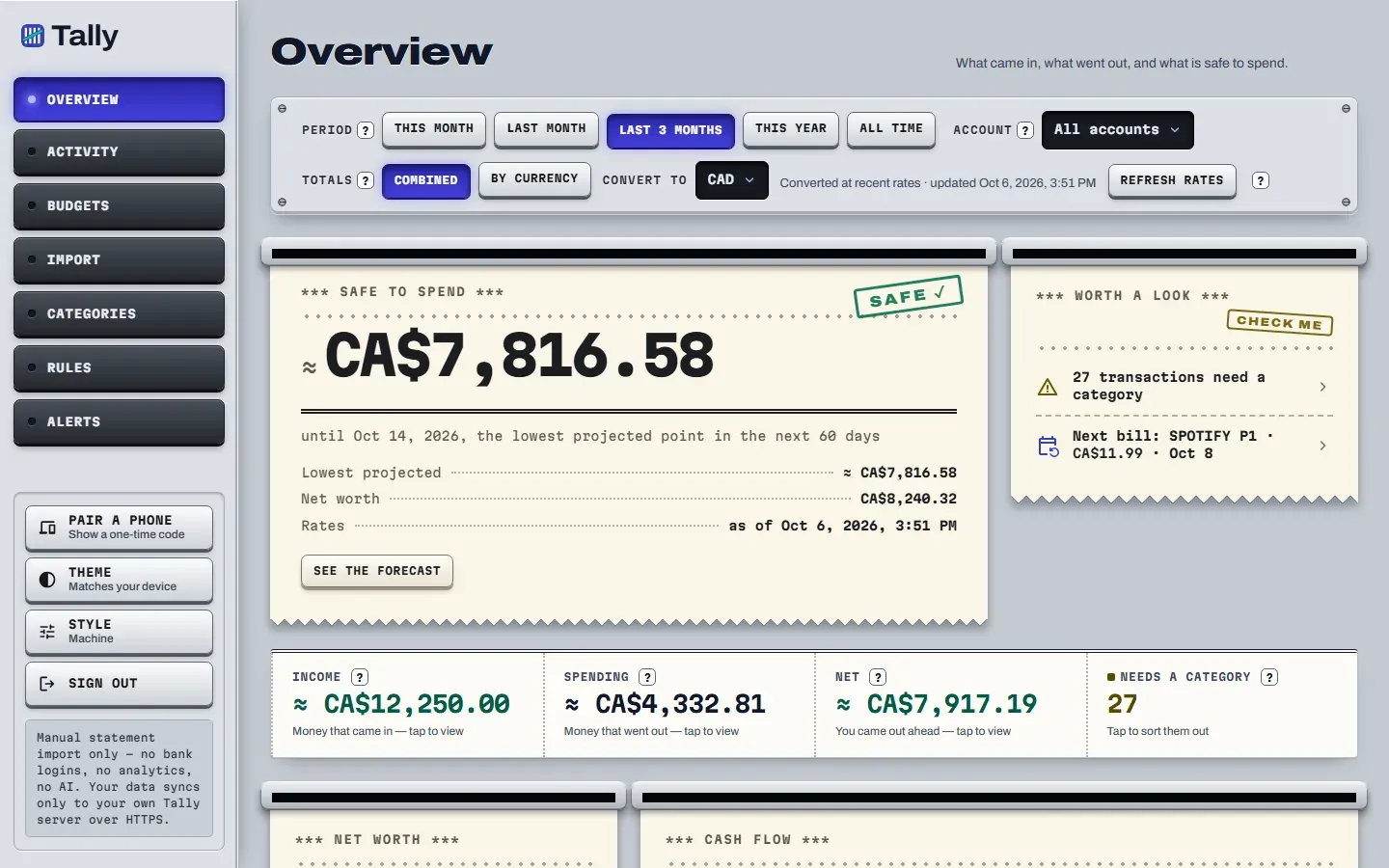
Tally web app Overview on a desktop: a receipt-style card shows a safe-to-spend amount of CA$7,816.58, next to a Worth a look note and income, spending and net totals.
The web app with sample data.

How do heatmap, tags and splits help?

They are three ways of looking at the same rows. All three are in the web app, and tags can also be added or removed on Android.

Spending heatmap

A calendar of daily spending over the last 365 days. Days with no spending are left out. Web only.

Tags

Put several tags on a transaction, rename or delete a tag everywhere at once, and filter Activity by tag. The filter is web only.

Split transactions

Divide one purchase across several categories, such as groceries and household in one shop. Web only.

What are monthly close and export?

Close month locks that month's transactions against edits and bulk re-categorizing, so a month you have finished stays finished. Reopen undoes it.

  • Closing protects the month from accidental changes.
  • Export a month as CSV, with one row per split, or as JSON.
  • Close and export are web only for now.
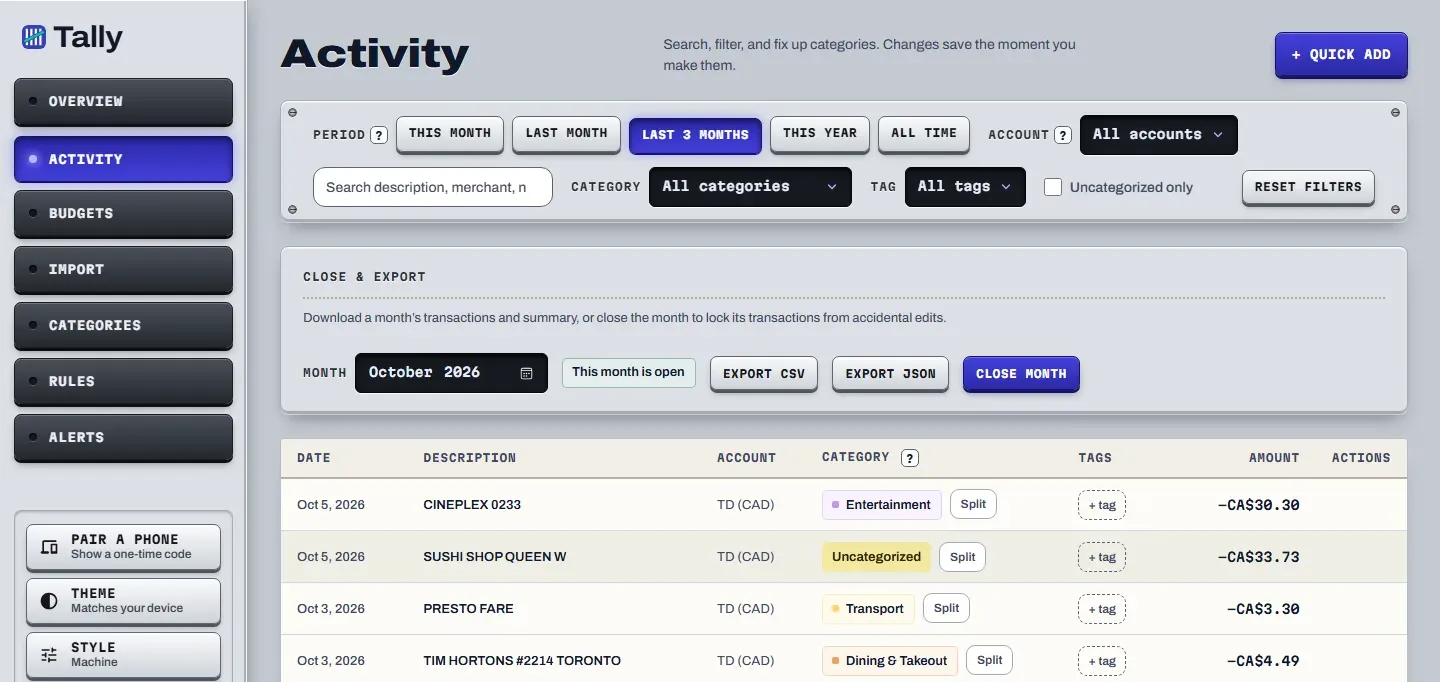
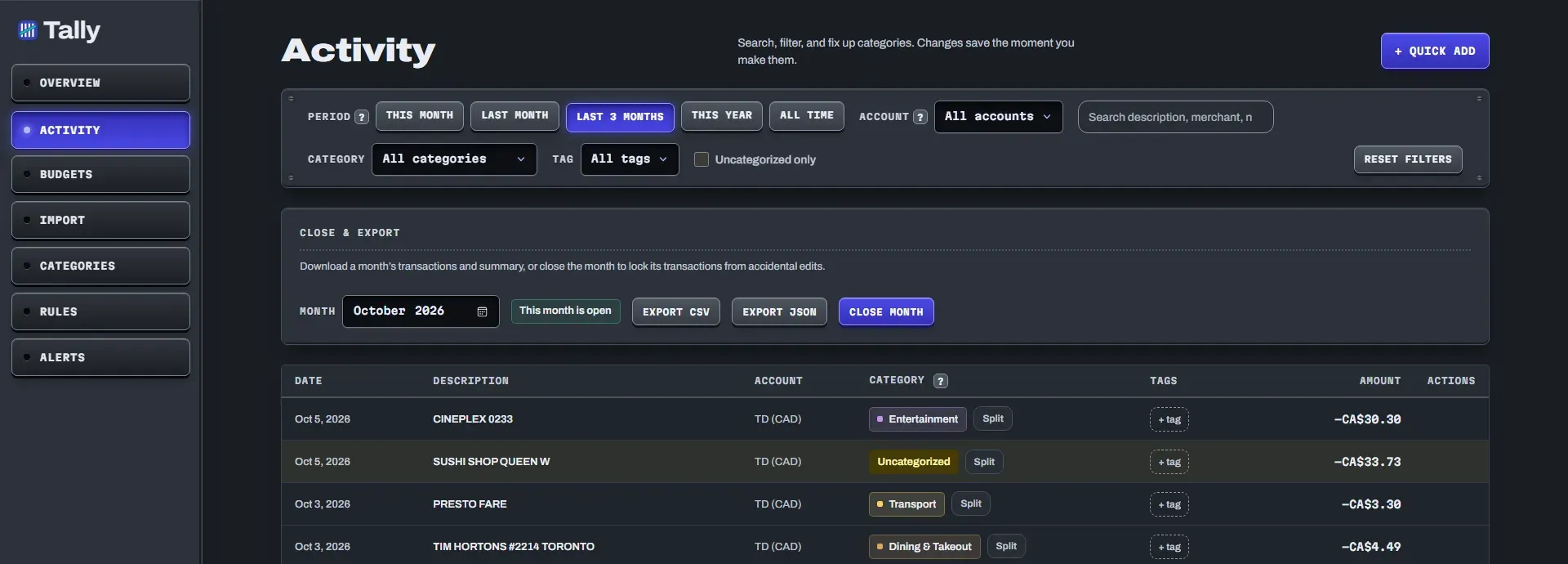
The Activity page with period and category filters, export buttons and a list of transactions with category chips.The Activity page with period and category filters, export buttons and a list of transactions with category chips.
The web app with sample data. The Close and export controls sit above the list.

Can I add cash spending by hand?

Yes, in the web app. Quick add takes a date, a description, an amount and a currency, and files the row in its own Cash account. You can edit or delete it later.

On Android you can edit or delete a manual row but not create one yet.

What else do people ask about these tools?

Can I add a house or a car to my net worth?

Yes, in the web app. You add things that have no statement, such as cash, a house, a car or investments, and liabilities such as a loan. They are valued at today's exchange rate. The Android app shows net worth but has no editor for these yet.

When does the net worth card show one number?

Only when every account and asset has a usable exchange rate. Otherwise it does not pretend to add things it cannot convert.

What does Close month do?

It locks that month's transactions against edits and bulk re-categorizing. Reopen undoes it. You can export the month as CSV (one row per split) or JSON.

Can I add a cash purchase by hand?

On the web, yes. Quick add takes a date, description, amount and currency, and puts the row in its own Cash account. On Android you can edit or delete a manual row but not create one yet.

Do reminders and the weekly recap work on my phone?

Only in the web app, as browser push notifications that you switch on yourself. The Android app has no reminders yet.

The basics come first.

Tally is in development and not open for sign-ups yet. Budgets and safe to spend are the core, and these tools sit on top of them.