A currency converter that never asks you to sign in.

Convert between 173 currencies, watch rate charts, set alerts and use your own rate. It is the first screen in the Tally Android app, and it works without an account.

Convert
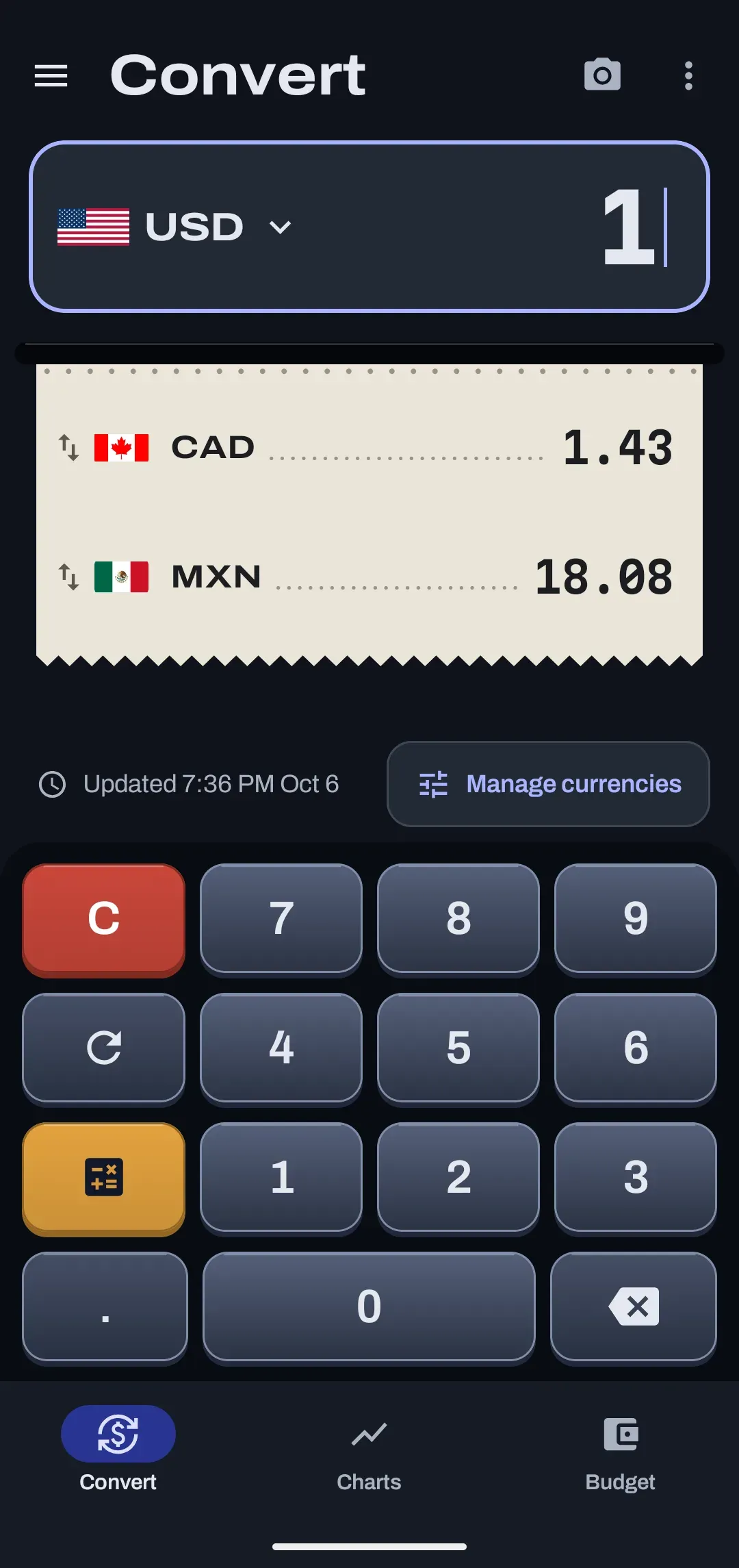
CAD
1.43
MXN
18.08

Updated 10:15 PM, Oct 6

Sample figures from the Convert screen on 6 October 2026. Not live rates.
currencies
173
chart ranges
7
widgets
2
accounts needed
0

Which currencies does it cover?

173 in all: 154 national currencies, 15 cryptocurrencies and 4 metals. A fresh install starts with USD, CAD and MXN.

What the 173 are
KindHow manyWhich
National currencies154Dollars, pesos, euros, yen and the rest of the national list.
Cryptocurrencies15BTC, ETH, XRP, LTC, DOGE, DASH, XMR, BCH, BNB, ADA, SOL, DOT, TRX, USDT and USDC.
Metals4Gold, silver, platinum and palladium.
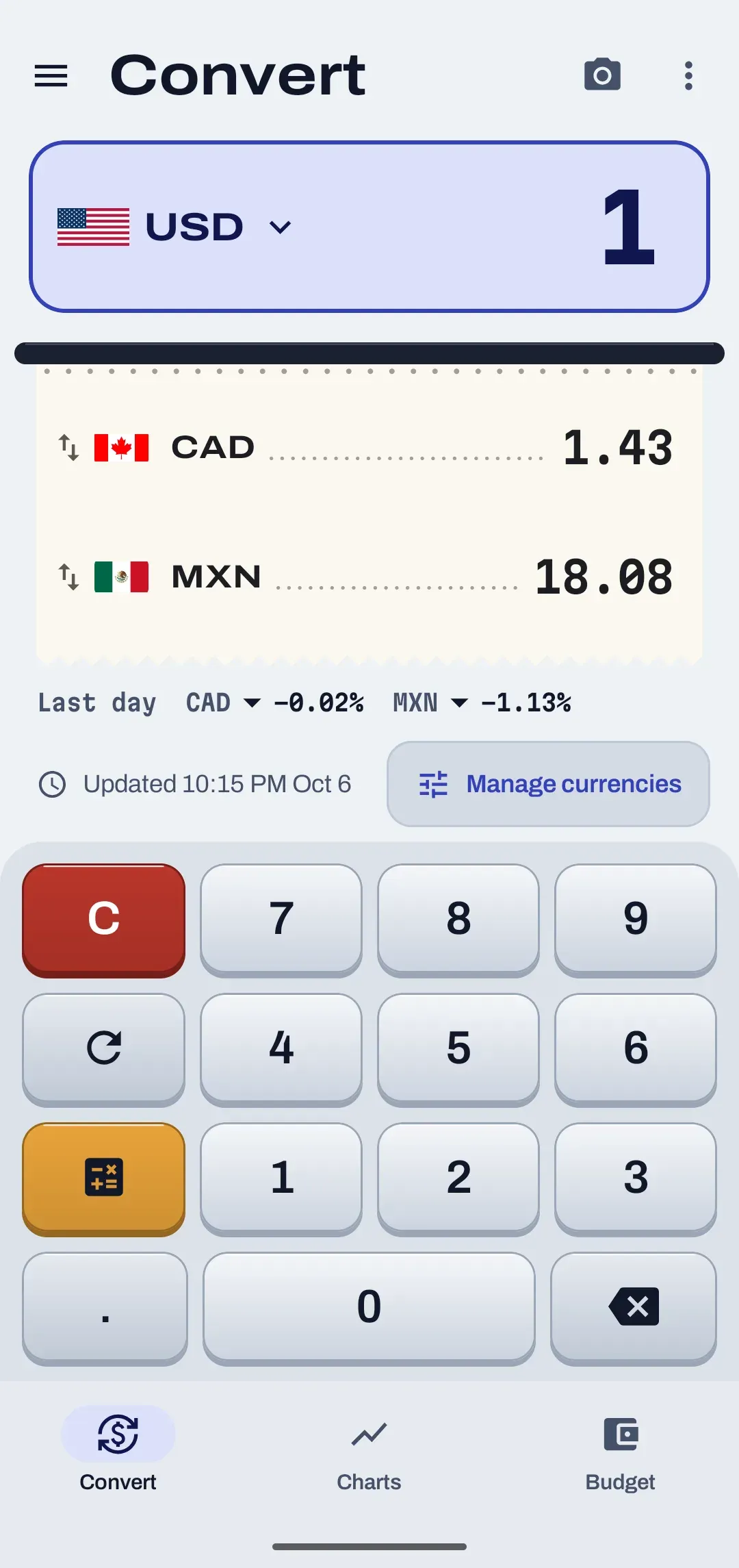
The Convert screen: an amount in US dollars, converted lines for Canadian dollars and Mexican pesos on a paper tape, and a calculator keypad.The Convert screen: an amount in US dollars, converted lines for Canadian dollars and Mexican pesos on a paper tape, and a calculator keypad.
The Convert screen on Android, with sample figures.
  • Swipe a currency away to remove it, with a 10-second Undo. Reorder the list, or add any currency from the full list.
  • A built-in calculator with plus, minus, times, divide and percent hands its result back to the converter.
  • Share rates sends a short plain-text list through the Android share sheet.

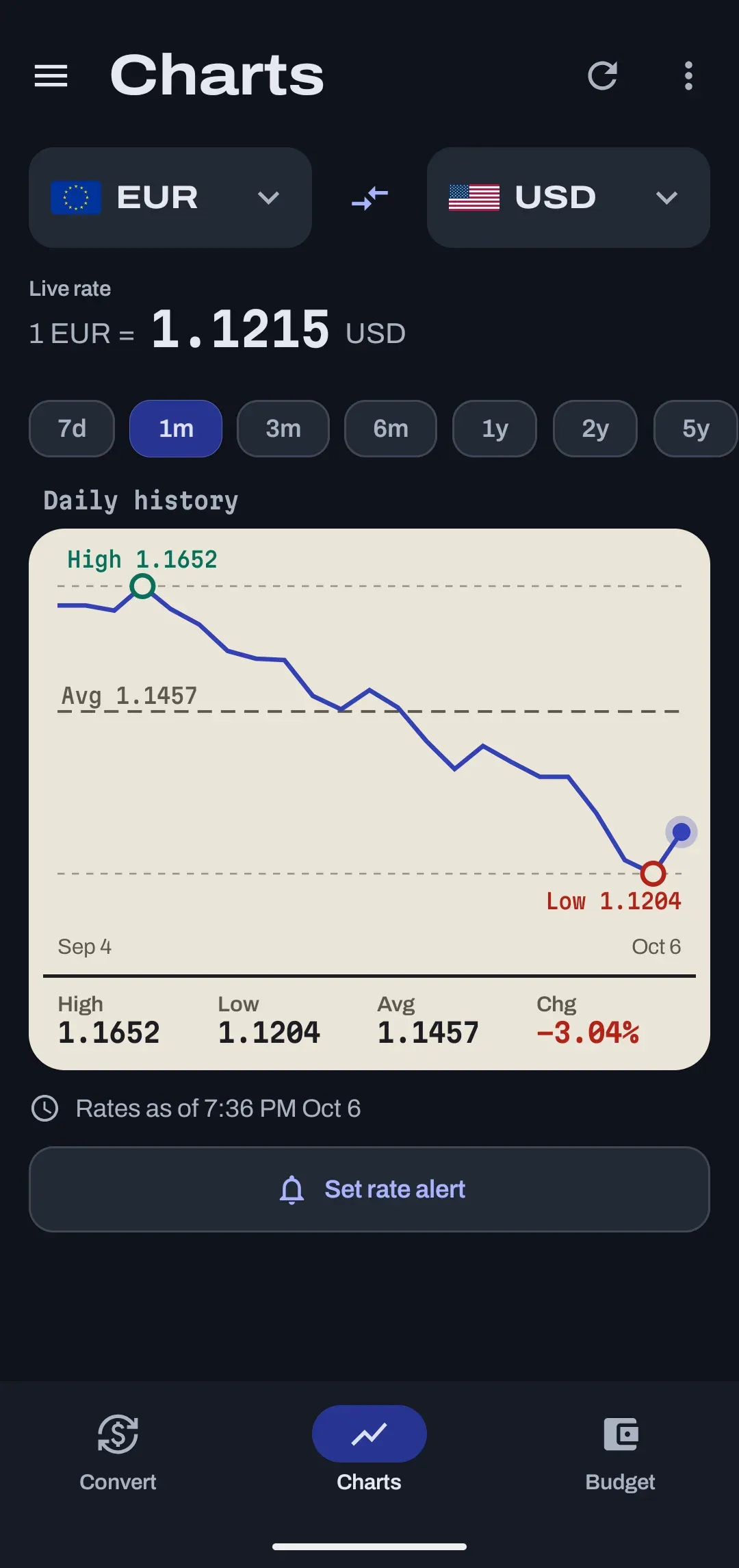
Can I see how a rate has moved?

Yes. Charts show any pair over 7 days, 1 month, 3 months, 6 months, 1 year, 2 years or 5 years, with the high, low, average and change for the range you pick.

  • Any pair works. Cross rates are worked out through the US dollar.
  • Crypto charts reach back 1 year, and metals are sampled. The app shows Limited history for those instead of pretending.
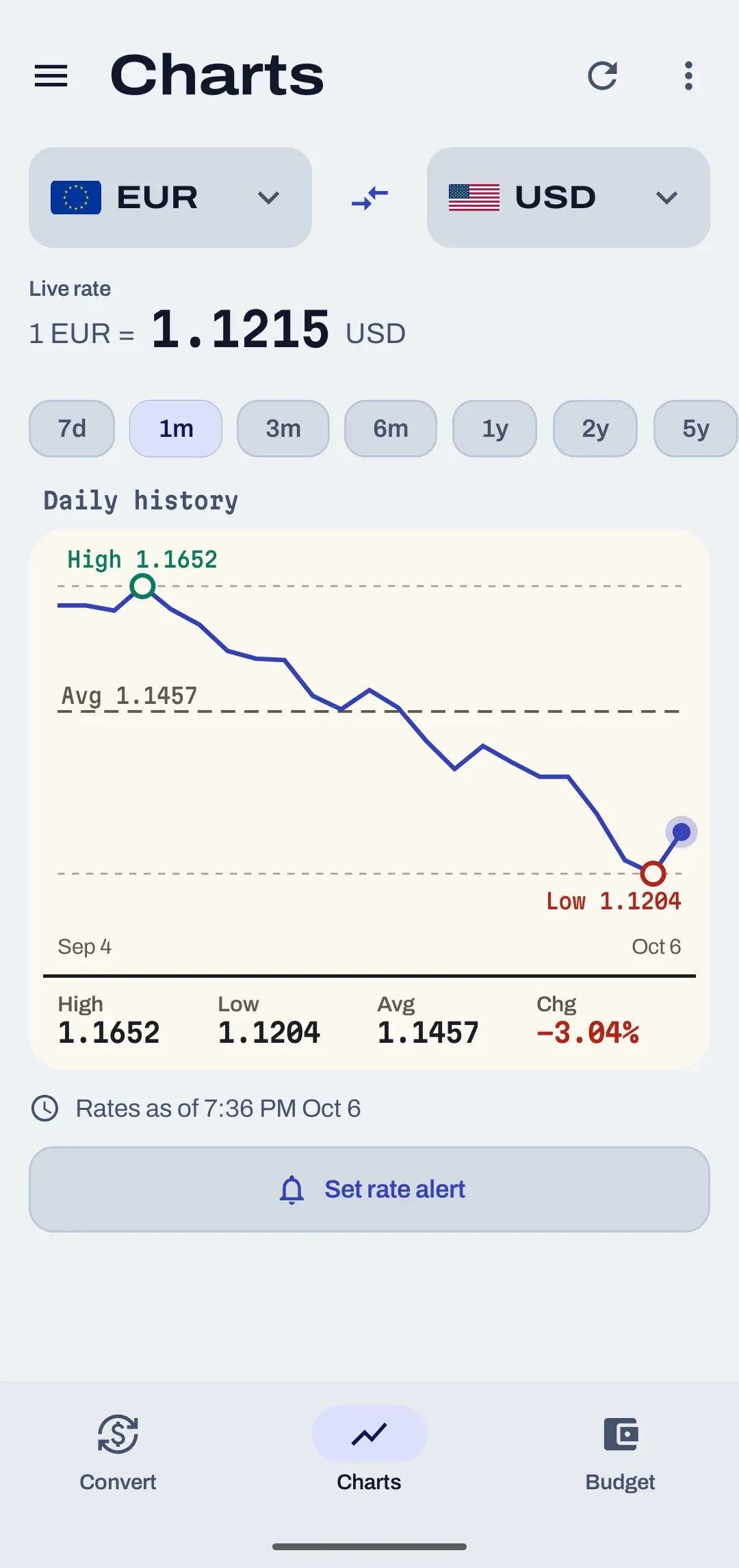
A rate history chart for euro to US dollar with high, low, average and change figures.A rate history chart for euro to US dollar with high, low, average and change figures.
Euro to US dollar over 1 month. Sample view.

Can it tell me when a rate hits my number?

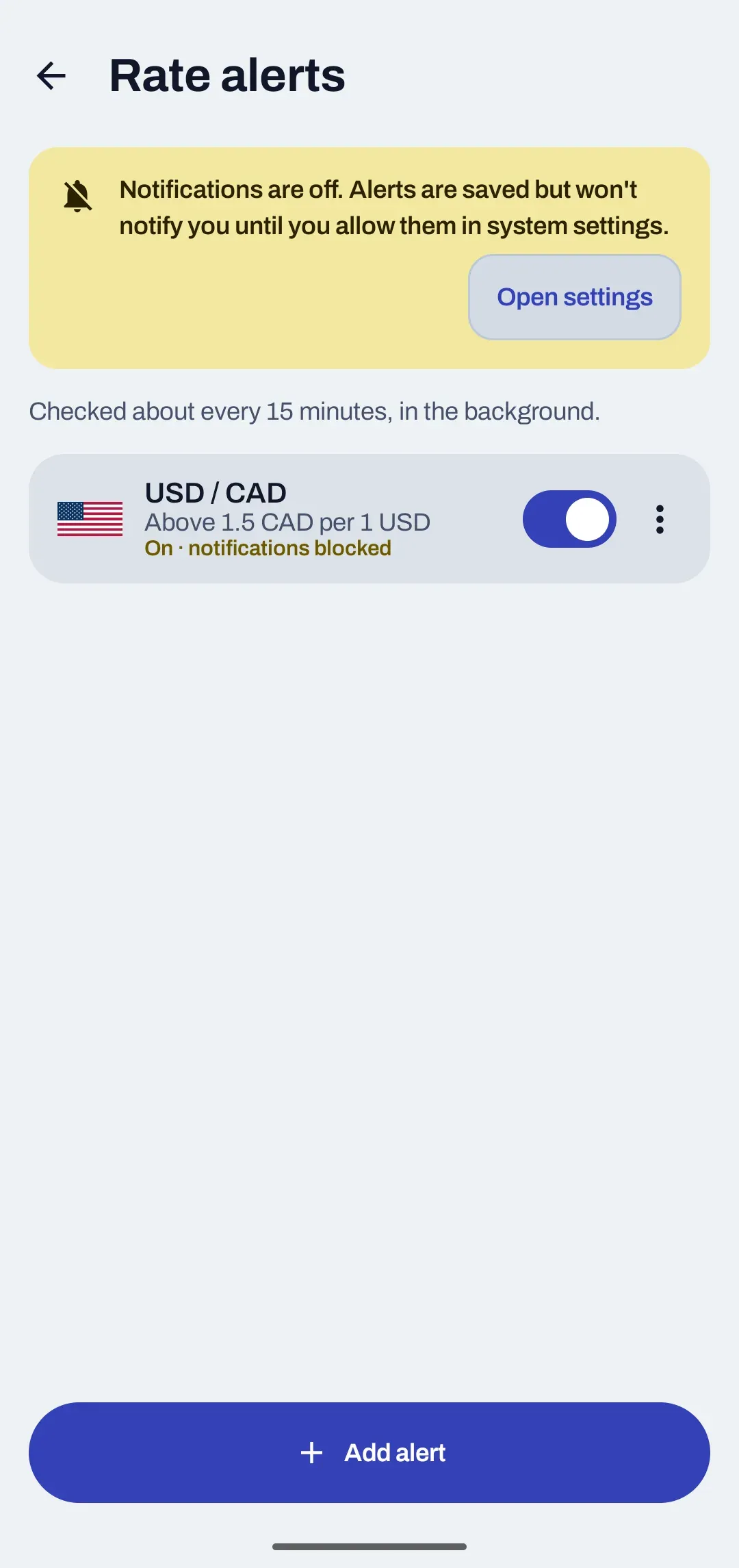
Yes. Pick a currency pair, a target, and whether you want to hear when it rises above or falls below it. The alert arrives as a normal phone notification that Tally creates on the phone itself.

  • Each alert fires once per crossing, so the same reading does not send you the same message again.
  • Rates are checked in the background about every 15 minutes at best.
  • Android asks for notification permission the first time you make an alert, not when you install.
The Rate alerts screen with one alert for US dollars to Canadian dollars.
The emulator shows a notice that notifications are off. On a phone you switch them on when asked.

What is your own rate?

It lets you type the rate your money changer or card actually gives you. For that currency, your rate replaces the market rate on the Convert screen.

Handy when you are about to hand over cash and want the figure you will really get, not the one on a rates website.

Convert

Amount
100.00 USD
Market rate
not used for MXN
Your rate
1 USD = 17.20 MXN
You get
1,720.00 MXN
Sample figures. The market rate is replaced for MXN.

What are the home-screen widgets?

Two. Both only display figures and have a refresh button, because you cannot type into a widget.

The two widgets
WidgetWhat it shows
Rate monitorThe currencies you choose, shown in your home currency.
Converter1, 10 and 100 units of your home currency in the next three currencies.

Where do the rates come from, and what if I am offline?

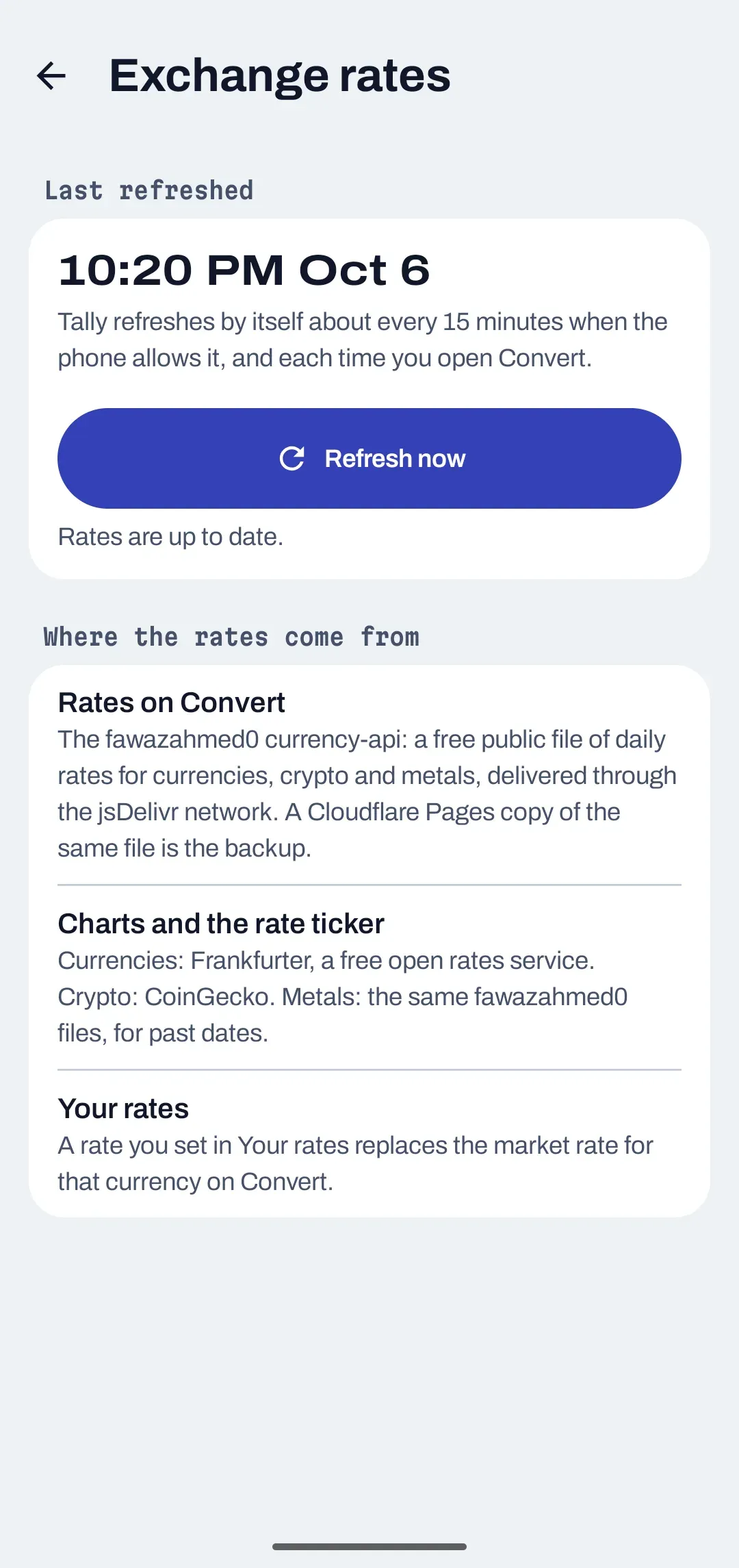
Rates come from free public rate services, and the app shows when they were last refreshed. If you are offline, the last saved rates stay on the phone and keep working.

  • They refresh in the background when the phone allows it, each time you open Convert, and when you tap Refresh now.
  • A failed refresh changes nothing, so a bad connection never wipes your saved rates.

The services are named, with what each one receives, on the privacy page.

The Exchange rates screen showing when rates were last refreshed and where they come from.
The Exchange rates screen, with sample data.

What else do people ask about the converter?

Do I need a Tally account to convert currencies?

No. The converter is the first screen in the Android app. It needs no account and does not use the Tally server; it only asks free public rate services for rates.

Does the converter work offline?

Yes, with the last saved rates. If a refresh fails, nothing changes and the saved rates keep working. Rates refresh again when the phone is online.

How often are rates updated?

Regularly. They refresh in the background about every 15 minutes at best when the phone allows it, every time you open Convert, and when you tap Refresh now. 15 minutes is the shortest interval Android allows, not a promise.

Why do crypto and metal charts show Limited history?

Crypto charts reach back 1 year, and metals are sampled rather than complete. The chart tells you when history is limited instead of drawing it as if it were full.

How often does a rate alert fire?

Once per crossing. You pick a currency pair, a target, and whether the rate rises above or falls below it. You get a normal phone notification, and the same reading does not repeat.

Is there a converter for iPhone or the web?

Not today. The converter is part of the Android app only.

The converter does not need the budget.

Tally is in development, with no sign-up and no price yet. The converter is the part that works without any account at all.